Declutter Your Desk: 3-in-1 Wireless Charger for Apple
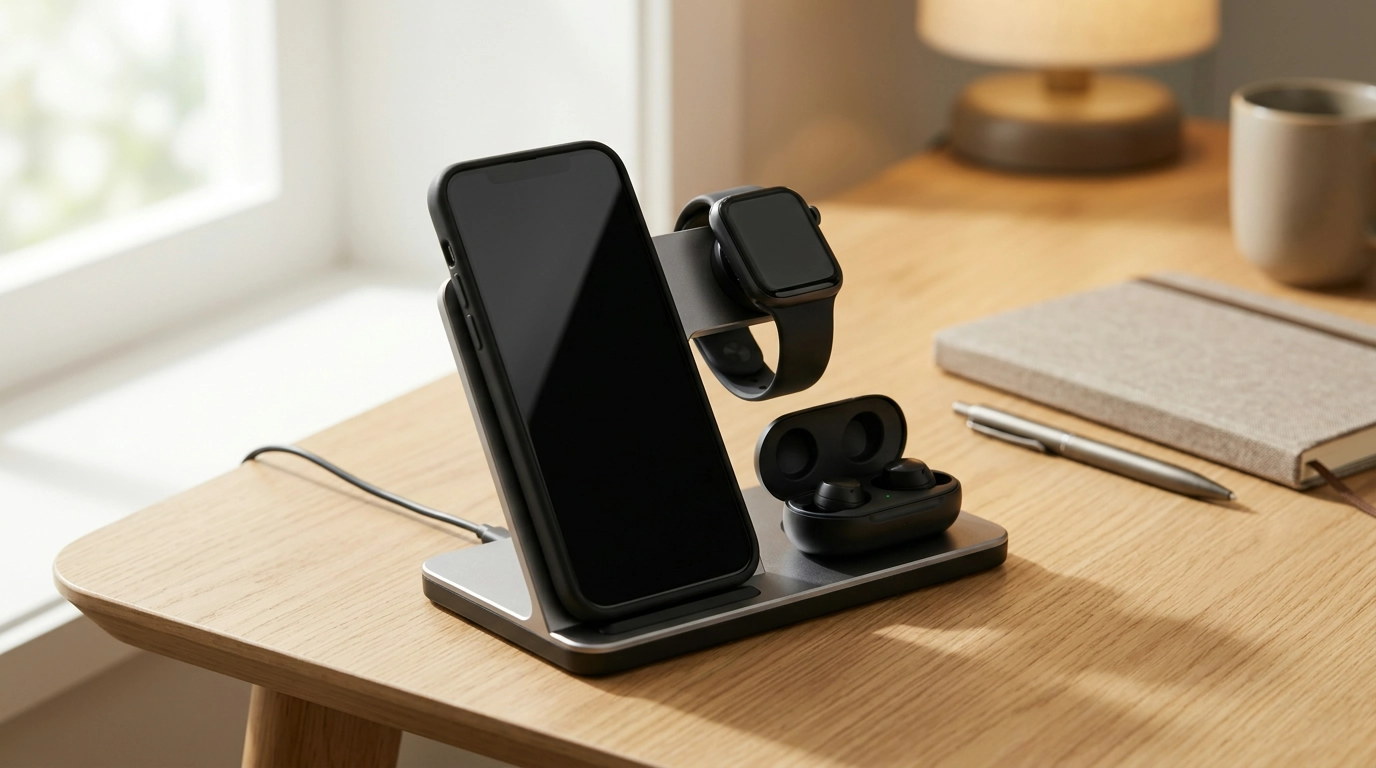
A Cleaner Charge Setup: 3-in-1 Wireless Station for iPhone, Apple Watch & AirPods
Daily charging shouldn’t mean juggling three cables across the nightstand or desk. Our team likes keeping the routine simple: one dedicated spot where your iPhone, Apple Watch, and AirPods can power up together—so your surface stays tidy and everything is ready to grab when it’s time to go. A well-designed 3-in-1 station also encourages a reliable habit: set devices down, confirm they’re charging, and move on with your evening (or your workday) without hunting for cords.
What this 3-in-1 station replaces in your everyday setup
If your current setup is a mix of a phone cable, a Watch puck, and an AirPods cord (plus a couple of “temporary” adapters), consolidating it into one station can immediately calm down the clutter. With the 3-in-1 15W Wireless Charging Station for Apple iPhone, Watch & AirPods, you can:
- Turn three “charging drop-zones” into one consistent home for iPhone, Apple Watch, and AirPods.
- Reduce cable sprawl by relying on a single station instead of separate pads, pucks, and cords scattered around.
- Make “set it down and charge” your default—especially helpful for busy mornings, travel prep, and shared spaces.
- Lower the chance of misplacing AirPods or leaving your watch uncharged, because everything parks together.
For many people, the biggest win isn’t speed—it’s predictability. When charging is effortless, you’re more likely to do it consistently.
How to use it day-to-night (nightstand and desk routines)
A simple evening reset
Before bed, place your iPhone, Apple Watch, and AirPods on their designated spots so all three charge while you sleep. In the morning, you’re not tracing cables or unplugging multiple cords—just pick up and go.
Desk mode for workdays
On a desk or console table, a 3-in-1 station becomes a drop spot for quick top-ups. It’s especially handy when you’re in and out of meetings and don’t want to connect and disconnect cables all day.
- Do a “one-spot check” before leaving home: a quick glance confirms devices are parked and charging.
- If you use a phone case, make sure it supports wireless charging and doesn’t block alignment; extra-thick cases and metal attachments can interfere.
Power and compatibility basics to keep charging smooth
Wireless charging is convenient, but it’s also more sensitive to setup than plugging in a cable. A few practical habits make it much more consistent:
- Alignment matters: center placement on the charging area usually works best.
- Some warmth is normal during wireless charging—especially during faster phases—because energy transfers through coils rather than a direct cable connection.
- Use a quality wall adapter that can supply enough power for multi-device charging; underpowered adapters can cause slower charging or interruptions.
- For AirPods, confirm your case supports wireless charging (some models require a wireless-charging case version).
Quick setup checklist (for a frustration-free first charge)
| Step | What to do | Why it matters |
|---|---|---|
| 1 | Place the station on a flat, stable surface | Prevents shifting that can break alignment |
| 2 | Connect to a suitable power adapter and outlet | Supports consistent power to all charging zones |
| 3 | Center the iPhone on the phone charging area | Improves charging start and stability |
| 4 | Seat Apple Watch on the watch charging point | Ensures proper contact/alignment for watch charging |
| 5 | Place AirPods case on the earbuds charging area (if wireless-capable) | Starts charging without needing a Lightning/USB-C cable |
| 6 | Remove magnetic wallets or metal accessories if charging doesn’t start | These can interfere with wireless charging |
If you want deeper background on wireless charging standards and safe usage, the Wireless Power Consortium (Qi Standard) and Apple Support: Charge iPhone wirelessly are solid references.
Where this station fits best at home (and why it helps)
- Nightstand: Reduces bedside clutter while keeping essentials charged for the next day.
- Workstation: Creates a single drop spot for a mid-day top-up—especially helpful for watch and earbuds.
- Entryway console: Turns “walk in, drop, charge” into a routine that prevents low-battery surprises.
- Shared charging area: Helps keep family charging organized so devices don’t migrate and cables don’t tangle.
Small add-ons that make the setup feel finished
- Comfort-first watch wear: If you take your watch on and off often to charge, a softer, flexible band can make daily use easier. Our Apple Watch Nylon Trail Loop Strap is a simple way to keep things comfortable during long days.
- Style rotation without hassle: If you like changing looks between work, weekends, and nights out, consider a second strap so you’re not constantly reconfiguring the same one. The Punk Apple Watch Strap with Natural Stones & Beaded Boho Design adds personality when you want a bolder vibe.
- Protect the little essentials: If AirTags are part of your routine, keeping them protected helps maintain a clean, scratch-free look. The 4-Pack Hydrogel Film Screen Protectors for Apple AirTag – Full Coverage TPU is a practical add-on for everyday carry.
Keeping wireless charging consistent over time
FAQ
Will this charge my iPhone, Apple Watch, and AirPods at the same time?
Yes—simultaneous charging is the main purpose of a 3-in-1 station. For the smoothest results, place each device correctly on its charging area and use a power adapter that can supply enough power for multi-device charging.
Do I need to remove my phone case to use the wireless charging station?
Often, no—many everyday cases work fine with wireless charging. If charging doesn’t start or seems inconsistent, remove thicker cases, metal plates, magnetic wallets, or other attachments that can interfere with coil alignment.
Why does wireless charging sometimes feel warm?
Mild warmth is common during wireless charging, especially at higher power levels. Keeping devices properly aligned and removing obstructions can reduce excess heat and help charging stay efficient.









Leave a comment